
Introduction
With the rapid growth of IPTV services, choosing the right IPTV player has become just as important as choosing a good IPTV subscription. Among the many options available today, GSE Smart IPTV stands out as a powerful and flexible solution, often described as the smart decoder for IPTV streaming.
This article explains what GSE Smart IPTV is, how it works, its key features, supported devices, setup process, advantages, limitations, and why it remains one of the most reliable IPTV players for modern streaming needs for IPTV Canada users.
What Is GSE Smart IPTV?
GSE Smart IPTV is an advanced IPTV player that allows users to stream live TV channels, movies, series, and on-demand content using internet-based playlists. The app does not provide channels on its own but works with IPTV services through M3U playlists or Xtream Codes. Thanks to its flexibility and wide format support, this IPTV player is suitable for both beginners and advanced users who want a stable and customizable streaming experience.
Definition of GSE Smart IPTV
GSE Smart IPTV is an advanced IPTV player that allows users to stream live TV, movies, series, and video-on-demand content through internet-based playlists. It does not provide channels on its own but works with IPTV subscriptions using M3U playlists or Xtream Codes.
How It Differs from Basic IPTV Players
Unlike simple IPTV apps, GSE Smart IPTV is designed to handle complex streams, multiple formats, and advanced decoding requirements, making it suitable for both beginners and advanced users looking for the best IPTV Canada experience.
Why GSE Smart IPTV Is Called a Smart Decoder
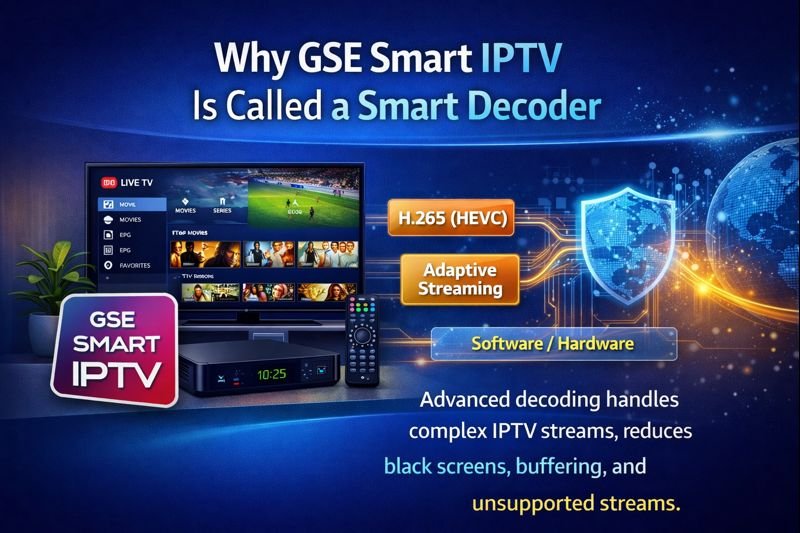
GSE Smart IPTV is described as a smart decoder because of its advanced ability to handle and play complex IPTV streams that many basic players fail to support. The application works with multiple formats, modern codecs such as H.265 (HEVC), adaptive streaming, and both hardware and software decoding modes. This intelligent decoding system helps reduce common IPTV issues like black screens, buffering, and unsupported streams, resulting in smoother and more reliable playback across different devices.
Advanced Stream Decoding
GSE Smart IPTV is considered a smart decoder because it can process and play streams that fail on other players. It supports modern codecs and adaptive streaming technologies that improve playback stability.
Supported Formats and Codecs
The app supports:
- H.264 and H.265 (HEVC)
- HLS and MPEG-TS streams
- Multiple audio tracks
- External subtitles
This wide compatibility helps reduce issues such as black screens or unsupported formats.
Key Features of GSE Smart IPTV
Playlist and Login Support
Supported Playlist Types
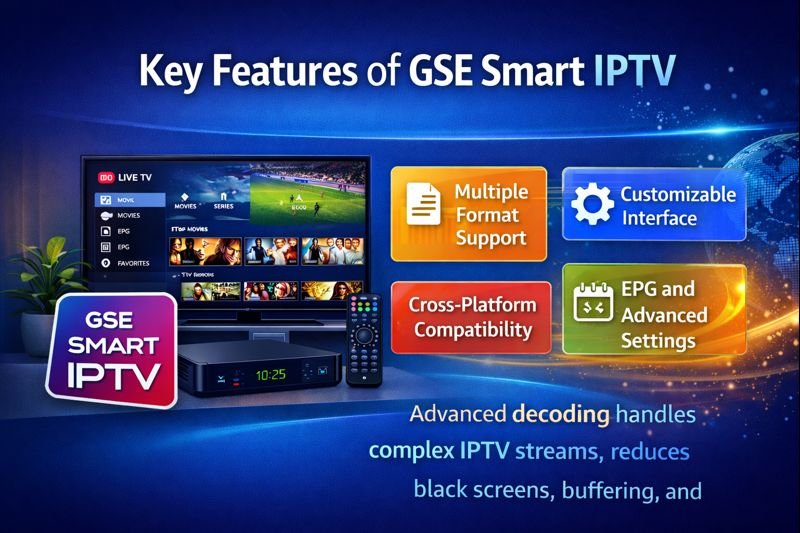
GSE Smart IPTV supports:
- M3U and M3U8 playlists
- Xtream Codes API
- JSON-based playlists
Users can manage multiple IPTV subscriptions from one interface.
Cross-Platform Compatibility
Supported Devices
GSE Smart IPTV is available on:
- Android phones and tablets
- Android TV and TV boxes
- Amazon Fire Stick and Fire TV
- iOS devices (iPhone and iPad)
- Apple TV
This makes it easy to use the same IPTV setup across different devices.
Video Decoding and Performance
Hardware and Software Decoding
Users can switch between hardware and software decoding modes to match their device’s capabilities and internet speed.
Adaptive Streaming
The app adjusts playback dynamically to reduce buffering and freezing during streaming.
User Interface and Customization
Interface Features
- Category-based channel sorting
- Favorites list
- Parental controls
- Multiple theme options
These features make navigation simple even with large channel lists.
How GSE Smart IPTV Works
Connection to IPTV Services
GSE Smart IPTV connects to IPTV servers using credentials provided by the user. Once connected, it loads channels, EPG data, and stream links.
Real-Time Stream Processing
The app decodes and plays streams in real time, acting as a bridge between the IPTV service and the user’s device.
How to Set Up GSE Smart IPTV
Step 1: Install the App
Download GSE Smart IPTV from the official app store for your device.
Step 2: Launch and Configure Permissions
Open the app and allow required permissions to ensure smooth playback.
Step 3: Add IPTV Playlist
Available Setup Methods
You can add your IPTV service using:
- Remote M3U URL
- Xtream Codes login
- Local playlist file
Once added, channels will load automatically.
Step 4: Optimize Settings
Recommended Adjustments
- Select the appropriate decoding mode
- Adjust buffer size if needed
- Configure display and subtitle options
Benefits of Using GSE Smart IPTV
Stability and Reliability
Thanks to its powerful decoding engine, GSE Smart IPTV offers stable playback even with high-bitrate streams.
Flexibility for Advanced Users
The app is ideal for users who manage multiple playlists or require advanced playback controls.
Regular Updates
Frequent updates improve compatibility, performance, and security.
Common Issues and How to Fix Them
IPTV Black Screen Problem
Possible Causes
- Codec incompatibility
- Internet instability
- IPTV server overload
Solutions
Switch decoding mode, restart the app, or reload the playlist.
Channels Not Loading
Fixes
- Check IPTV subscription status
- Reload playlist
- Verify server credentials
Buffering or Freezing
Performance Tips
- Increase buffer size
- Reduce stream quality
- Use a stable internet connection
Is GSE Smart IPTV Legal?
Legal Status of the App
GSE Smart IPTV itself is completely legal, as it is only a media player.
IPTV Content Legality
Legality depends on whether the IPTV service used has proper broadcasting rights. Users should always choose reputable IPTV providers.
Who Should Use GSE Smart IPTV?
Ideal Users
- Advanced IPTV users
- Users with multiple IPTV subscriptions
- Users experiencing playback or codec issues
Beginners vs Advanced Users
While beginners can use the app, its true strength lies in advanced customization and control.
GSE Smart IPTV Compared to Other IPTV Players
Key Advantages
- More codec support
- Better decoding options
- Wider device compatibility
- Advanced customization
These features make it a strong alternative to basic IPTV players.
Tips for Best IPTV Streaming Experience
Best Practices
- Use a reliable internet connection
- Keep the app updated
- Choose the correct decoding mode
- Avoid overloaded IPTV servers
Final Thoughts
GSE Smart IPTV stands out as a powerful and flexible IPTV player designed to meet modern streaming needs. With advanced decoding capabilities, wide device compatibility, and strong customization options, this application continues to be one of the most reliable solutions for IPTV streaming today.
Whether you are an experienced IPTV user or someone looking for a stable player that can handle complex streams, this smart IPTV solution delivers consistent performance, control, and smooth playback across multiple platforms.