
Introduction
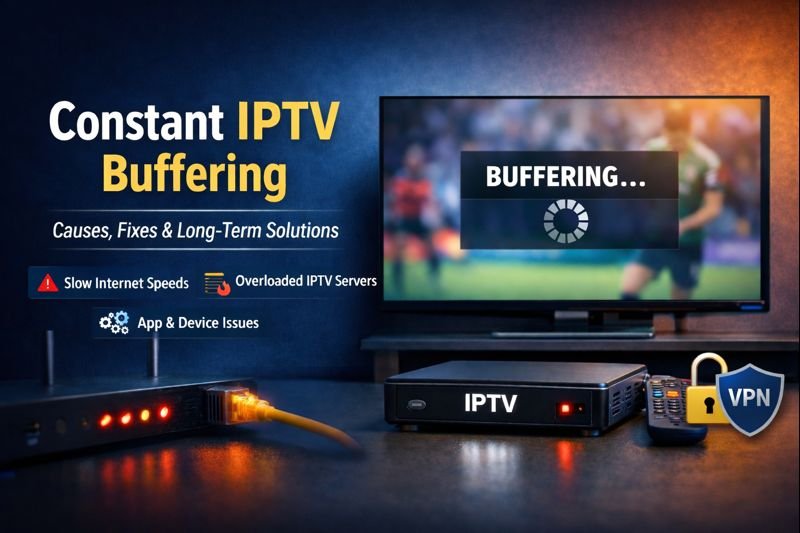
Constant IPTV buffering is one of the most frustrating problems faced by IPTV users, especially for IPTV Canada viewers. Whether you are watching live TV, sports, or on-demand content, constant interruptions can quickly ruin the viewing experience. Even users with fast internet connections often report buffering issues that seem difficult to explain.
This article provides a complete breakdown of constant IPTV buffering, including what it is, why it happens, and how to fix it both short-term and long-term. The goal is to help users achieve smooth, uninterrupted IPTV streaming.
What Is Constant IPTV Buffering?
Understanding IPTV Buffering
Constant IPTV buffering happens when a video stream repeatedly pauses to load data instead of playing continuously, even when using the best IPTV Canada services. This usually means the IPTV app is not receiving data fast enough from the server.
How Buffering Affects Streaming
Buffering can appear in several ways:
- Video pauses every few seconds
- Channels stay stuck on loading
- Audio plays while video freezes
- Streams stop and restart repeatedly
When buffering happens continuously, it indicates a deeper technical issue.
Main Causes of Constant IPTV Buffering
Internet Connection Problems
Insufficient Internet Speed
IPTV streaming requires consistent bandwidth, not just high speed.
Recommended speeds:
- SD: 5 Mbps
- HD: 10–15 Mbps
- Full HD / 4K: 25 Mbps or more
Even fast connections can buffer if they are unstable.
Wi-Fi Interference and Network Congestion
Why Wi-Fi Causes Buffering
Wi-Fi networks are affected by:
- Distance from the router
- Walls and physical interference
- Multiple connected devices
Crowded Wi-Fi networks often lead to constant IPTV buffering.
IPTV Server Overload
High-Traffic Events
Buffering is common during:
- Live sports events
- Pay-per-view broadcasts
- Popular TV premieres
Cheap or overloaded IPTV servers cannot handle high demand.
IPTV App Configuration Issues
Incorrect App Settings
Poor configuration can cause buffering, such as:
- Low buffer size
- Wrong video decoder
- Outdated IPTV app
Small changes in app settings can make a big difference.
Device Performance Limitations
Older Streaming Devices
Older devices may struggle with modern IPTV streams, including:
- Old Android TV boxes
- First-generation Fire Sticks
- Smart TVs with limited hardware
High-bitrate streams require stronger processing power.
ISP Throttling
Internet Provider Restrictions
Some ISPs limit IPTV traffic, especially during peak hours. Signs include:
- IPTV works better late at night
- Streaming improves with a VPN
- IPTV works on mobile data but not home internet
How to Fix Constant IPTV Buffering
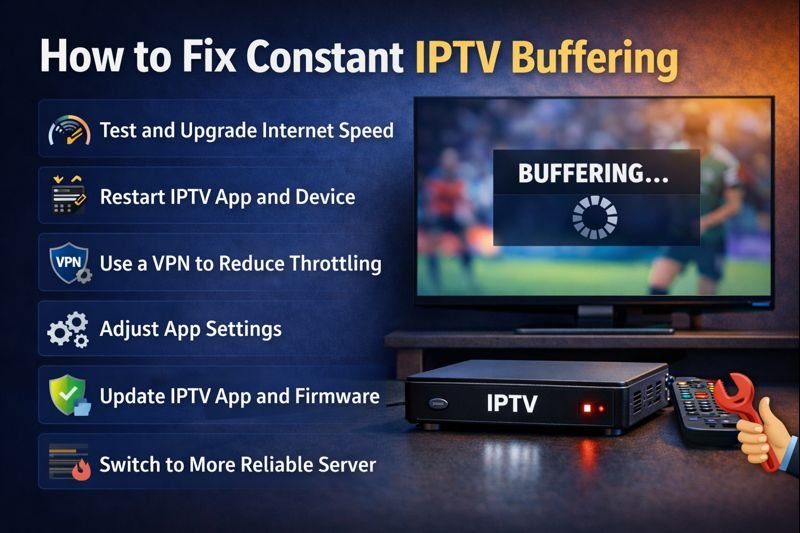
Step 1: Test Your Internet Connection
Run a speed test while buffering is happening. Focus on stability, not just speed.
Step 2: Use a Wired Ethernet Connection
Why Ethernet Is Better
Ethernet connections are:
- More stable
- Faster for continuous streaming
- Less affected by interference
This is one of the most effective buffering fixes.
Step 3: Restart Network Devices
Restart:
- Modem
- Router
- Streaming device
This clears temporary network problems.
Step 4: Adjust IPTV App Settings
Increase Buffer Size
A larger buffer allows smoother playback during short drops in speed.
Change Video Decoder
Switch between:
- Hardware decoding
- Software decoding
Some streams perform better with one option.
Step 5: Try Another Channel or Stream
If only certain channels buffer, the problem may be server-side.
Long-Term Solutions to Prevent IPTV Buffering
Choose a Reliable IPTV Provider
What to Look For
High-quality IPTV services offer:
- Load-balanced servers
- Multiple stream sources
- Stable infrastructure
Avoid extremely cheap IPTV subscriptions.
Upgrade Your Streaming Device
Recommended Devices
Modern devices handle IPTV better, such as:
- Android TV (newer models)
- Fire Stick 4K / 4K Max
- Updated Smart TVs
Optimize Your Home Network
Network Optimization Tips
- Limit background downloads
- Use router QoS settings
- Place the router near the streaming device
Use a VPN If Necessary
When a VPN Helps
A premium VPN can:
- Bypass ISP throttling
- Improve stream stability
- Reduce peak-hour buffering
Choose a fast VPN with nearby servers.
Common Myths About IPTV Buffering
“Higher Speed Always Fixes Buffering”
Not true. Stability matters more than raw speed.
“Buffering Means IPTV Is Broken”
Most buffering issues are caused by network or configuration problems.
Is Constant IPTV Buffering Normal?
Occasional vs Constant Buffering
- Occasional buffering: normal
- Constant buffering: not normal
Persistent buffering almost always has a fix.
Best Practices for Smooth IPTV Streaming
Streaming Optimization Tips
- Keep IPTV apps updated
- Restart devices regularly
- Avoid peak-hour congestion
- Use wired connections when possible
Final Thoughts
Constant IPTV buffering is frustrating, but it is rarely unsolvable. By understanding the real causes—whether internet stability, device limitations, app settings, or server quality—users can take the right steps to fix buffering permanently.
With a reliable IPTV service, optimized network, and proper setup, IPTV streaming can be smooth, stable, and enjoyable without interruptions